
.pdf
A clean, paginated document formatted for standard printing, sharing and easy reading.
- Selectable text
- Standard page sizing
Chrome extension · one-click export
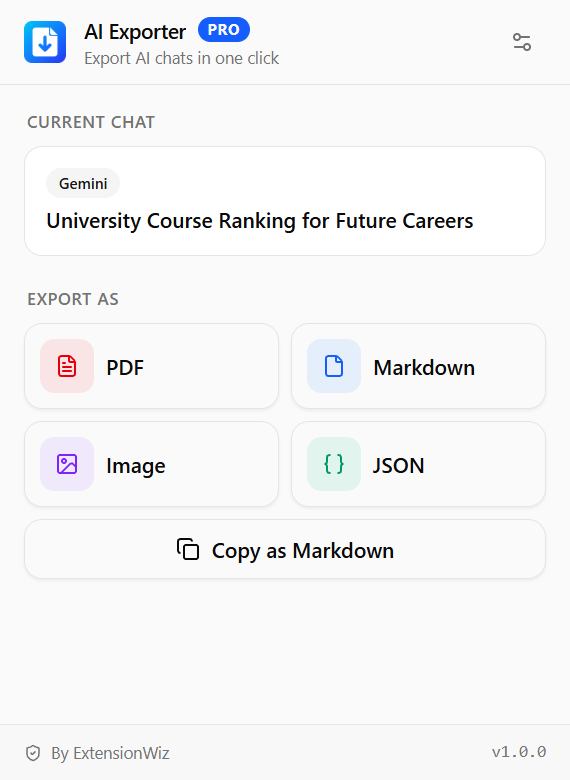
AI Exporter turns ChatGPT, Gemini, Claude, Grok and DeepSeek conversations into PDF, image, Markdown or JSON — from the page you are already reading. No copy-paste, no reformatting, no account.
Exports from
01Features
Built to sit quietly in your toolbar and give you total control over your AI chat history.
One install covers ChatGPT, Gemini, Claude, Grok and DeepSeek — a single toolbar button instead of a collection of site-specific tools.
Guarantees your entire conversation is saved completely. It grabs dynamic content that only load while scrolling, so no message gets missed.
Set your preferred pattern once using variables like {title}, {platform} and {date}. Every file lands in Downloads folder named the way you want.
Your conversation never leaves your browser. The file is built on your device, and nothing is sent to a server we run.
Handles massive threads with hundreds of messages in under two seconds—allowing you to save and keep moving instantly.
No account to create, no API key to paste, no folder to pick. The defaults are fine, and the settings are there only for the changes you ask for.
02How it works
There is no workspace to set up and nothing to configure. The extension stays out of the way until you want a file.
Any conversation on a supported platform. AI Exporter reads the conversation currently displayed on the page — nothing to paste, nothing to upload.
Works mid-conversation
PDF for sharing, image for slides, markdown for your notes, JSON when something downstream has to parse it.
Four output formats
The export lands in your Downloads folder, named from your filename pattern — with the formatting you actually saw on screen.
No account required
03Formats
The same thread, written out the way each job needs it. Pick the format in the popup and the file is ready before you switch tabs.
A clean, paginated document formatted for standard printing, sharing and easy reading.
One continuous, high-resolution capture of the complete chat — perfect for slides and sharing.
Formatted markdown text ready to drop directly into your knowledge base or notes.
Structured raw data containing complete thread content, ready for scripts, search or datasets.
Copy as Markdown
Skip the file — copy the full thread directly to your clipboard to paste straight into your notes, code reviews, or another prompt.
In every format
04Pricing
Every Pro plan unlocks the exact same features — the only difference is how and when you pay. Go monthly, save with a yearly plan, or pay once for lifetime access. Start free and upgrade whenever your exports outgrow it.
For everyday exporting on every supported platform.
$0forever
No card, no account required
The full extension, billed every month.
$4.99per month
Cancel anytime
Pay one time and keep every Pro feature for good.
$79.99one time
One-time payment · No renewals
All prices in USD. You can cancel a subscription anytime — the lifetime plan is a one-time payment. Billing questions? Email us
05FAQ
If something about formats, privacy, supported platforms, or exporting is unclear, the answer is probably one of these.
AI Exporter currently supports ChatGPT, Gemini, Claude, Grok, and DeepSeek on their regular web apps. Support for additional platforms can be added through extension updates.
Free to use · No account required
Turn any AI chat into a clean PDF, image, Markdown file, or JSON export — whenever you need it.